Plans and billing
Every plan includes the things that make the app worth using: importing bank transactions, the matching engine, BTW handling, mileage at the Dutch €0.23/km rate, and the accountant-ready quarterly export. The paid plans add automatic bank feeds, AI receipt reading, more businesses, and accountant access. This page walks you through choosing a plan, changing it, and managing your subscription.
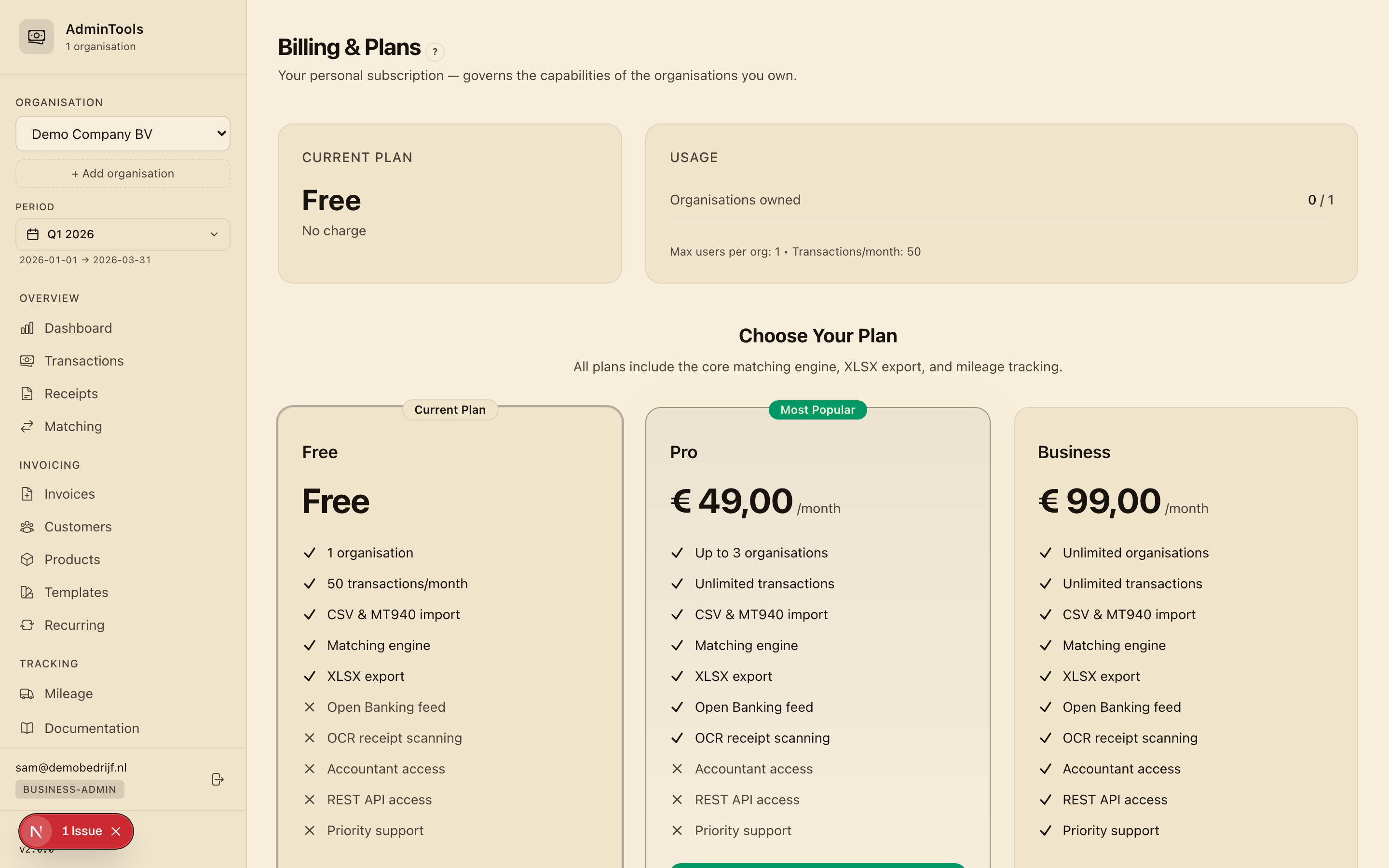
Choosing a plan
There are three monthly plans, plus a one-time Lifetime Deal for people who would rather pay once.
Free
A real, free-forever plan to try things out or run a very small business.
- 1 business
- Up to 50 transactions per month
- Bank statement import (ING CSV and MT940 files)
- The matching engine and BTW handling
- Mileage tracking
- The quarterly XLSX export
Free is a great way to reconcile a single quarter by hand and see how the app fits your bookkeeping before you commit to anything.
Pro — €19/month
The most popular plan, built for an active one-person or small business.
- Up to 3 businesses
- Unlimited transactions
- Everything in Free, plus:
- Automatic bank feed (Open Banking) — your transactions arrive on their own
- AI receipt reading — snap or upload a receipt and the app fills in the supplier, total, BTW and date for you
Business — €49/month
For busier companies, bookkeepers, and anyone who works with an accountant.
- Unlimited businesses
- Unlimited transactions
- Everything in Pro, plus:
- Accountant access — invite your accountant with safe, view-and-export access to your books
- Priority support
The Lifetime Deal
If you would rather not pay every month, the Lifetime Deal is a single one-time payment that unlocks the app for life. It comes in three tiers, and one Lifetime Deal covers one business:
- Tier 1 — €99: the core features for a single business
- Tier 2 — €199 (recommended): the full feature set, including the automatic bank feed, accountant access, and forwarding receipts in by email
- Tier 3 — €349: everything in Tier 2, plus priority support and early access to new features
Each tier includes a generous monthly allowance for AI receipt reading. If you run more than one business, you simply add a monthly Pro or Business plan on top of your lifetime account for the extra businesses — you never need to buy a second Lifetime Deal.
Tip: Not sure which to pick? Start on Free, reconcile a quarter, and upgrade only when you want the bank feed or AI receipt reading to do the heavy lifting for you.
Upgrading and downgrading
You can change plans whenever you like. The billing page shows your current plan highlighted, with each other plan beside it and a clear action button.
Upgrading takes effect immediately
- On the billing page, find the plan you want and click Upgrade to [Plan].
- You are taken to a secure checkout page to enter your payment details.
- Complete the payment.
- You are returned to the billing page with a confirmation banner.
- Your new, higher limits are live straight away — you can connect a bank or start scanning receipts right away.
Because the change is immediate, billing is prorated: you only pay for the part of the month you actually use the higher plan.
Downgrading takes effect at period end
- On the billing page, click Downgrade on the lower plan, or Manage subscription to open your billing portal.
- Choose the new, lower plan.
- The change is scheduled for the end of your current billing period.
- You keep full access to all your current features until that date — nothing disappears mid-month.
This means you never lose what you have already paid for, and there is no rush to tidy up before the switch.
Managing your subscription
Once you are on a paid plan, the Manage subscription button opens your secure billing portal. From there you can:
- Update your payment method (card details)
- Download your invoices and payment receipts for your own records
- View your billing history
- Cancel your subscription
To cancel, open Manage subscription and choose to cancel. You keep access until the end of the period you have already paid for.
Usage meters and limits
On the billing page you will see meters that show how much of your plan you are using this month:
- Transactions — how many transactions you have imported this billing period
- Businesses — how many businesses you have set up
Each meter fills up as you go. It stays green while you have plenty of room, turns amber as you approach the limit, and turns red when you are very close. On plans with no limit, the meter simply reads "unlimited" — nothing to watch.
Usage counts reset at the start of each calendar month, so a fresh month gives you a fresh allowance.
What happens when you hit a limit
The only hard limit that can stop you in your tracks is the 50 transactions per month on Free. If an import would push you over that, the import is paused and you will see a friendly message inviting you to upgrade to Pro for unlimited transactions. Nothing you have already imported is affected — you just upgrade and carry on.
The same gentle nudge appears if you try to add more businesses than your plan allows, or reach for a feature your plan does not include yet (such as the bank feed or accountant access). Upgrading unlocks it on the spot.
VAT on your subscription
The prices above are shown excluding VAT. The applicable VAT is added at checkout, so the amount you actually pay includes it. Your downloadable invoices show the VAT separately, ready for your own bookkeeping.
Where to go next
- New to the app? Start with Getting started to set up your business and reconcile your first quarter.
- Want your transactions to arrive automatically? See Getting your bank transactions in for the Open Banking feed (Pro and above).
- Ready to bring in your accountant? See Inviting your team and your accountant (Business plan).